
How to meal plan for the week
Build a weekly food plan that is structured enough to help and flexible enough for real life.
Weekly meal planning is easier when you stop trying to make every meal perfect and start building a repeatable system. This guide uses the actual Cenaplan planning workflow: choose meals from your recipe binder, add notes for flexible days, copy or shift plans when life changes, and let the ingredients become your shopping list.

Plan around real meals
Use breakfast, lunch, and dinner slots, but keep notes and leftovers flexible.
Reuse what works
Copy favourite weeks or shift meals forward instead of rebuilding everything from scratch.
Shop from the plan
Turn planned recipes into a practical shopping list you can adjust before you buy.
Plan From Saved Recipes
These pages show how weekly planning connects with recipe organisation and shopping.
Weekly meal planning should reduce decisions, not create them
Meal planning often fails because it becomes too ambitious.
You sit down to plan the week, try to solve every breakfast, lunch, dinner, snack, budget, preference, and nutritional goal at once, and the whole thing becomes another job. A good weekly meal plan is different. It gives you enough structure to shop and cook with less stress, but enough flexibility to handle late meetings, leftovers, tired evenings, and changing appetites.
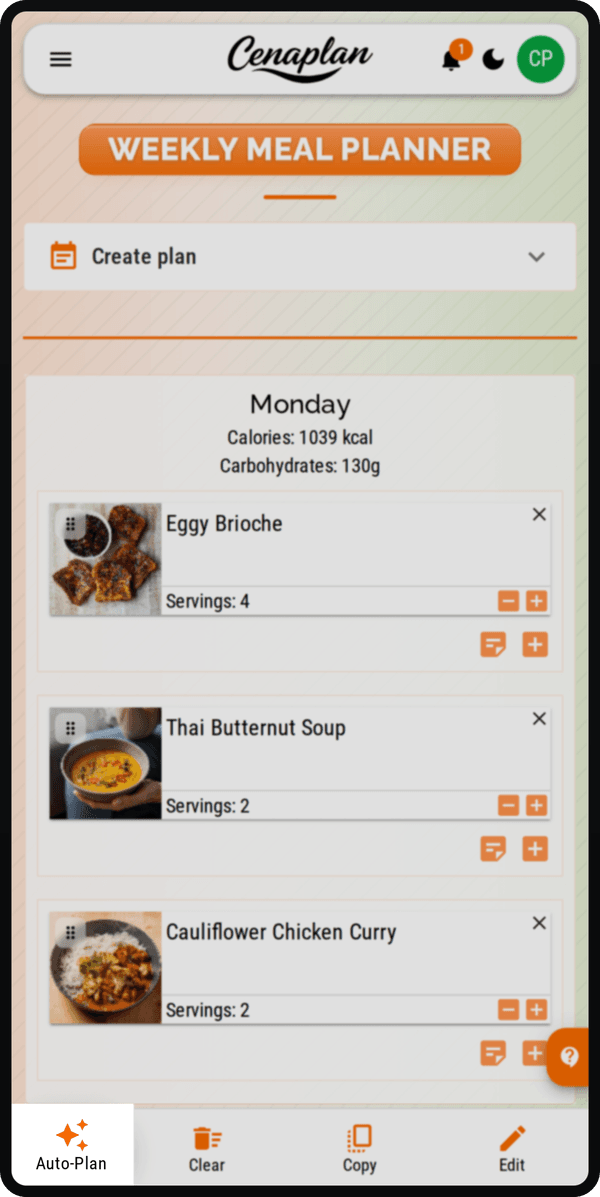
Cenaplan is built around that practical middle ground. The planner gives you a weekly view, recipe slots, notes, recipe search, copying, date-range plans, and shopping-list ingredients. You can plan from saved recipes, add quick notes where a full recipe is not needed, and reuse weeks that worked.
Choose the planning scope first
Before choosing recipes, decide what you are actually planning.
For many households, dinner is the best starting point. Dinner tends to drive the main shop, the highest effort, and the most repeated "what are we eating?" decision. Once dinners feel under control, lunches and breakfasts can be added.
A simple weekly scope might be:
- Five dinners.
- Two flexible nights for leftovers, takeaway, or freezer meals.
- Three planned lunches.
- Breakfast staples rather than individual breakfast recipes.
Cenaplan supports multiple meals per day in the planner, but you do not need to fill every slot to get value. Empty space is allowed. Notes are allowed. Leftovers are allowed. The plan should serve the household, not the other way around.
Build from recipes you already trust
The fastest week is built from recipes you already know.
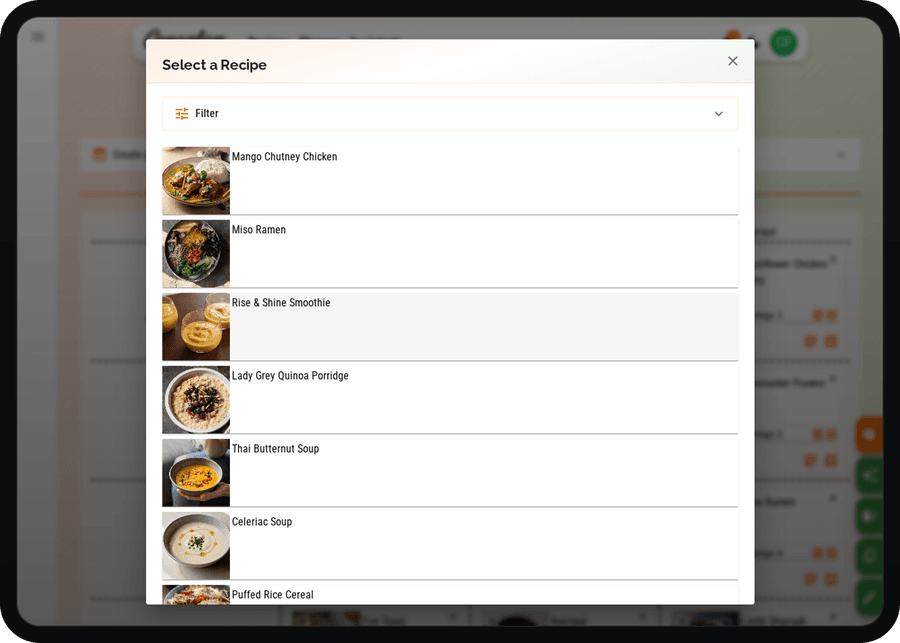
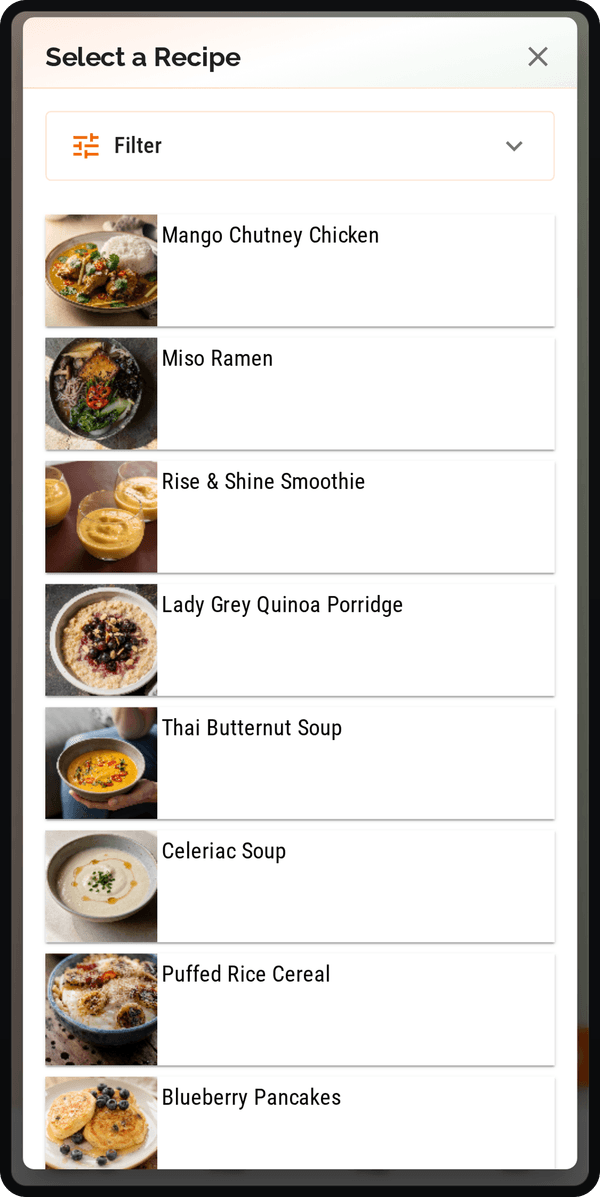
Start with your digital recipe binder. Pick a few dependable meals, then add one or two newer ideas if you want variety. If every meal is new, the week becomes risky. If every meal is familiar, the week can feel dull. A good balance is usually:
- Three reliable meals.
- One low-effort meal.
- One meal that uses something already in the fridge.
- One new or assistant-suggested idea.
- One flexible slot.
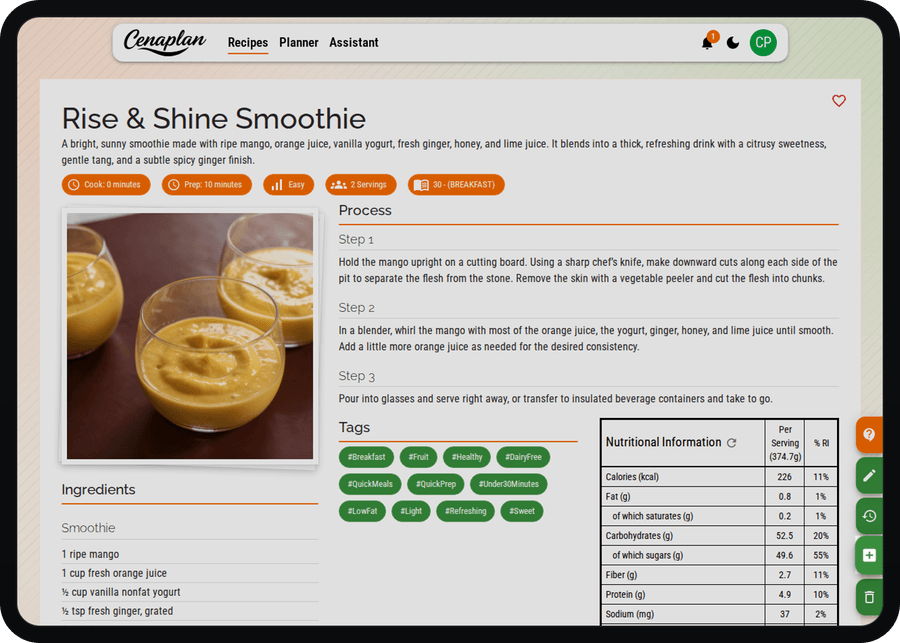
Cenaplan lets you add saved recipes directly to planner meals. That keeps the decision connected to the recipe details, servings, ingredients, and shopping list.
Use notes for meals that are not recipes
Not every meal deserves a recipe card.
Some meals are just "leftovers", "sandwiches", "pasta and sauce", "freezer soup", or "eat out after football". These should still appear in the plan because they affect shopping and expectations.
Use notes for those flexible slots. In Cenaplan, planner meals can include recipe selections and notes, so the week can reflect real life. This matters for family planning because the plan becomes a shared source of truth, not just a recipe schedule.
Check servings before the shop
Servings are one of the easiest planning details to miss.
If a recipe serves four but you are cooking for two, or if you want leftovers for lunch, the shopping list needs to reflect that. Cenaplan stores recipe serving information and supports adding recipes to the planner with serving context. Recipe editing also supports serving changes, so ingredient quantities can be kept aligned with how you actually cook.
Before shopping, quickly scan:
- Which meals need leftovers?
- Which meals are for fewer people?
- Which meals are shared with the household?
- Which meals should be doubled?
Small serving adjustments prevent both waste and the opposite problem: running out of the ingredient that made the meal work.
Let the shopping list expose problems
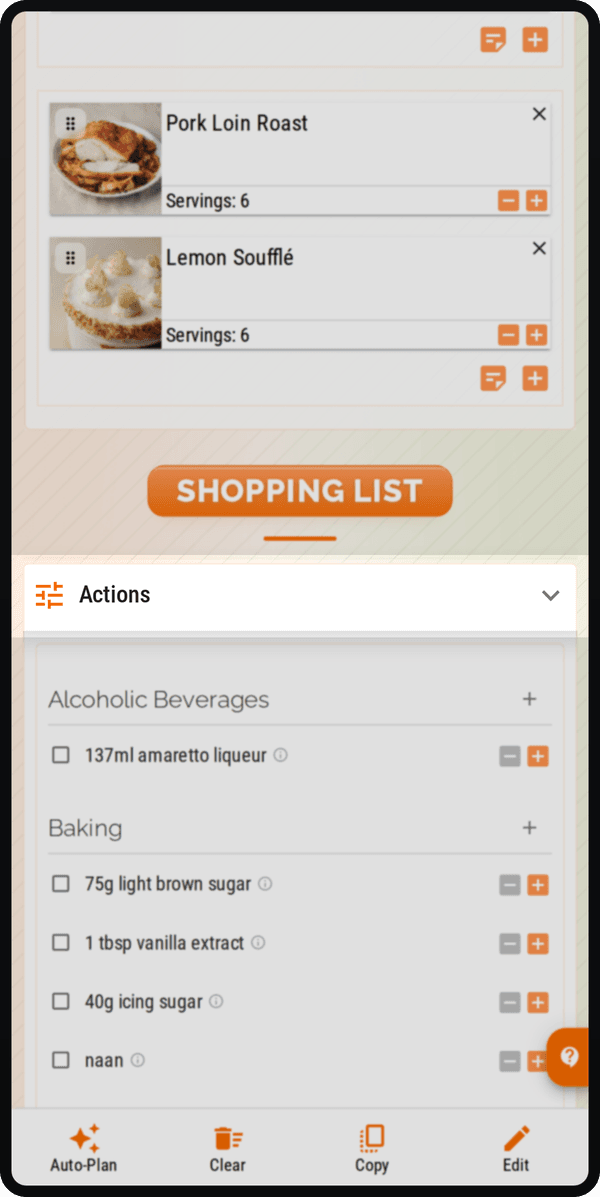
Once meals are in the planner, the shopping list becomes a planning check.
If the list is huge, the plan may be too ambitious. If several recipes need small amounts of expensive ingredients, you may want to swap one meal. If the list has a lot of fresh produce early in the week, schedule those meals before the longer-life pantry meals.
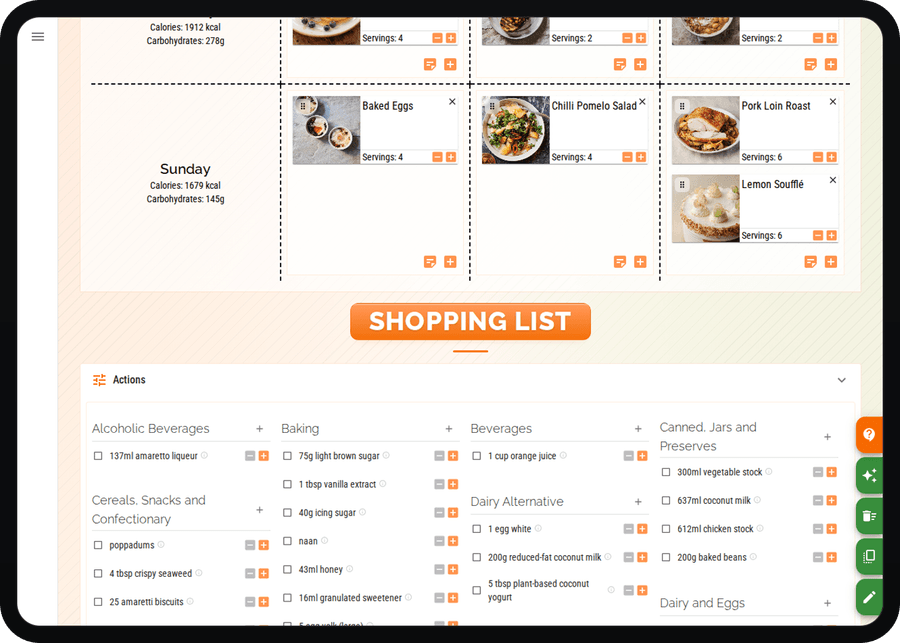
Cenaplan's planner ingredients are grouped into shopping categories and can be edited. You can mark items as not required, adjust quantities, add custom items, and search the list. That lets the shopping list become a practical bridge between plan and shop.
Reuse good weeks
The secret to sustainable meal planning is repetition.
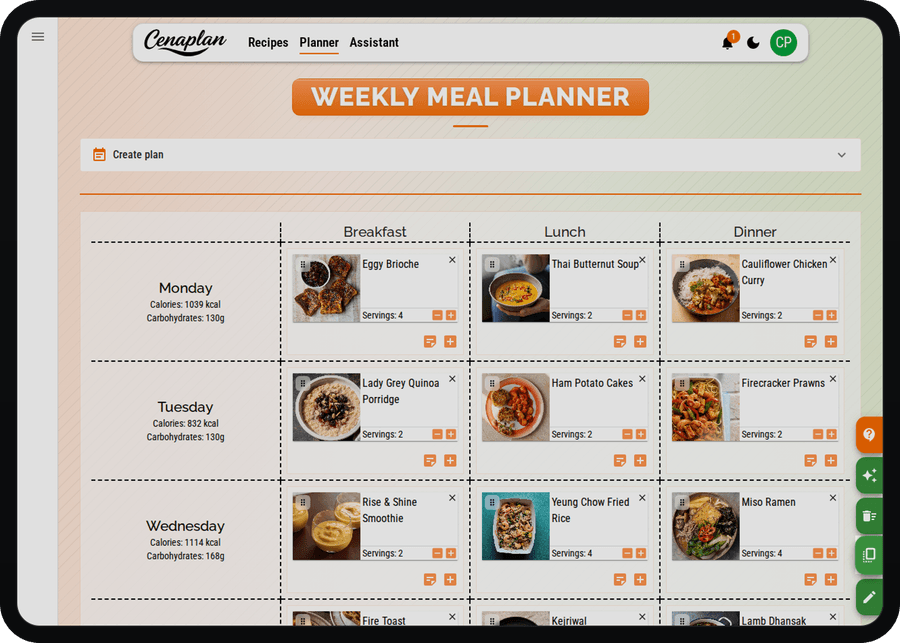
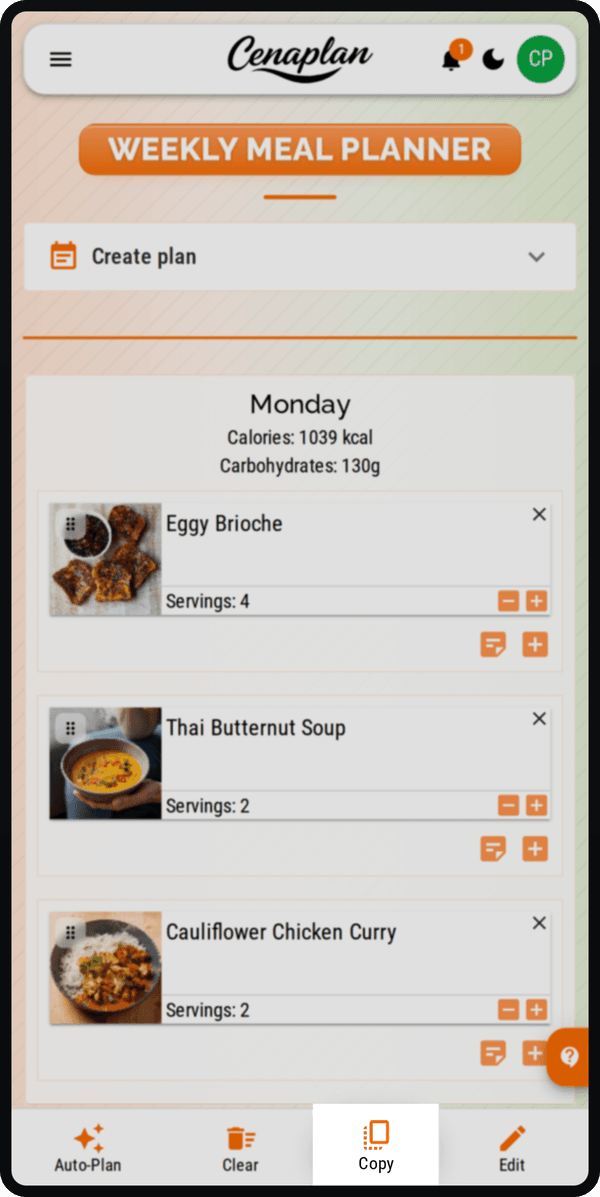
If a week worked, copy it. If plans shifted, move meals forward. If a few meals were popular, keep them in rotation. There is no prize for inventing a completely new plan every week.
Cenaplan includes planner copying so a useful week can be duplicated from a new start date. The copied plan regenerates the shopping list from the copied recipes, which means you can reuse the meal structure without carrying over old purchased-item statuses.
That turns weekly planning into iteration instead of reinvention.
Use Auto-Plan when the binder is ready
Once your recipe binder has enough useful recipes, automation becomes more helpful.
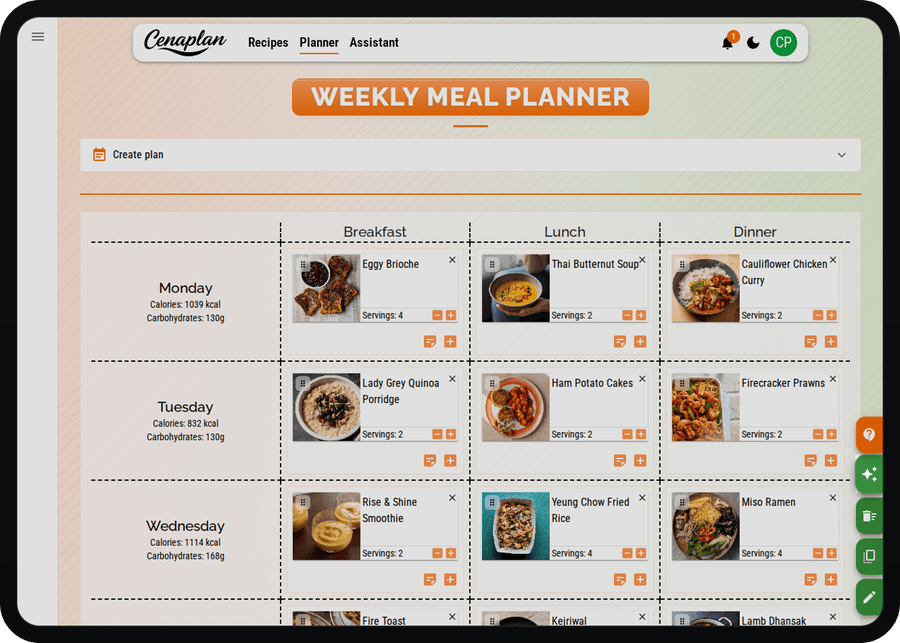
Cenaplan's Auto-Plan workflow is designed for eligible plans and can fill empty planner slots using meal rules, recipe categories, meal types, servings, and optional calorie limits. It works best when your recipe library already has enough variety and useful filtering information.
Think of Auto-Plan as an assistant for the blank spaces. You still set the shape of the week; the system helps suggest meals that fit the rules.
A simple weekly routine
Try this repeatable routine:
- Pick the week or date range.
- Add fixed events first, using notes where needed.
- Choose three reliable recipes from your binder.
- Add one easy meal and one flexible slot.
- Add one new idea from your binder or assistant.
- Check servings.
- Review the generated shopping list.
- Copy the plan later if the week worked.
The goal is not a perfect menu. The goal is fewer last-minute decisions, fewer forgotten ingredients, and a clearer path from "what should we eat?" to "we have what we need."
Frequently Asked Questions
What is the easiest way to meal plan for the week?
Start with the meals that cause the most stress, choose recipes you already trust, add flexible notes for leftovers or simple meals, then turn the plan into a shopping list.
Do I need to plan every meal?
No. A useful meal plan can mix recipes, notes, leftovers, and flexible slots. Planning only dinners is a good first step.
Can Cenaplan copy a weekly meal plan?
Yes. Cenaplan supports copying a plan from a selected start date so you can reuse a good week instead of starting again.
Can Cenaplan automatically plan meals?
Eligible plans can use Auto-Plan to fill empty planner slots from recipe filters, meal rules, servings, and optional calorie limits.