
How to make a shopping list from a meal plan
A good shopping list should come from the meals you actually plan to cook.
The best shopping list is not a separate document. It is the practical output of your meal plan. Cenaplan connects planned recipes to planner ingredients, lets you adjust and search the list, add custom items, mark items as not required, and even import receipt or shopping images to help confirm purchased items.

Start from planned meals
Add recipes to the planner so ingredients flow from real meals instead of memory.
Review before buying
Check quantities, servings, categories, and items you already have before you shop.
Keep the list current
Edit, search, add custom items, and mark ingredients when they are no longer required.
Connect Planning And Shopping
These pages explain the recipe and planning workflows behind a better shopping list.
A shopping list is only as good as the plan behind it
Many shopping lists fail because they are built from memory.
You write down chicken, pasta, tomatoes, milk, and "some vegetables", then discover later that one planned recipe needed cream, another needed rice, and the dinner you thought was covered actually needed fresh herbs. The list looked fine in the shop but failed in the kitchen.
A better shopping list starts from the meals you plan to cook.
In Cenaplan, recipes are added to a planner, and the planner carries an ingredient list for the week. That means shopping is connected to actual meals, not a separate guessing exercise. You can still edit the list, add custom items, and mark things off, but the starting point is much stronger.
Step 1: plan the meals that affect the shop
You do not need to plan everything. You need to plan the meals that change what you buy.
For many people, that means dinners first. If breakfasts are always cereal, toast, yoghurt, or fruit, they can be handled as staples. If lunches are leftovers, they may not need separate recipes. Focus first on the meals that introduce ingredients you might forget.
In Cenaplan, the meal planner lets you add recipes and notes to meals across the week. Recipes are the strongest input for the shopping list because they contain ingredient quantities. Notes are still useful for things like leftovers, freezer meals, or nights out, but they will not replace recipe ingredient detail.
Choose recipe
Use a saved dish.Plan meal
Schedule it first.Review list
Check ingredients.Add extras
Keep one shop.Choose recipe
Plan meal
Review list
Add extras
Step 2: use recipes with clean ingredients
The quality of the shopping list depends on the quality of the recipe ingredients.
If a recipe says "some cheese" or "vegetables", the list can only be so precise. If the recipe says "200g cheddar" and "2 peppers", the list becomes useful. This is why a good digital recipe binder matters. It lets you import recipes, then edit ingredients until they reflect how you actually cook.
Cenaplan recipe records include ingredients, quantities, units, grouped ingredients, servings, instructions, tags, and optional nutrition. When those recipes are used in a plan, the shopping workflow has structured information to work with.
Step 3: check servings before generating trust
Servings quietly shape the whole list.
If you add a recipe for four servings but only need two, the list may overbuy. If you want leftovers, the list may underbuy unless the recipe or planner serving choice reflects that.
Before shopping, check:
- How many people are eating each meal?
- Which recipes should make leftovers?
- Which meals are using half portions?
- Which meals are repeated?
Cenaplan stores recipe servings and supports planner recipe selections with serving context. Recipe editing also supports serving updates, helping ingredient totals stay aligned with the version you plan to cook.
Step 4: review combined ingredients
Once the meal plan is in place, review the combined list.
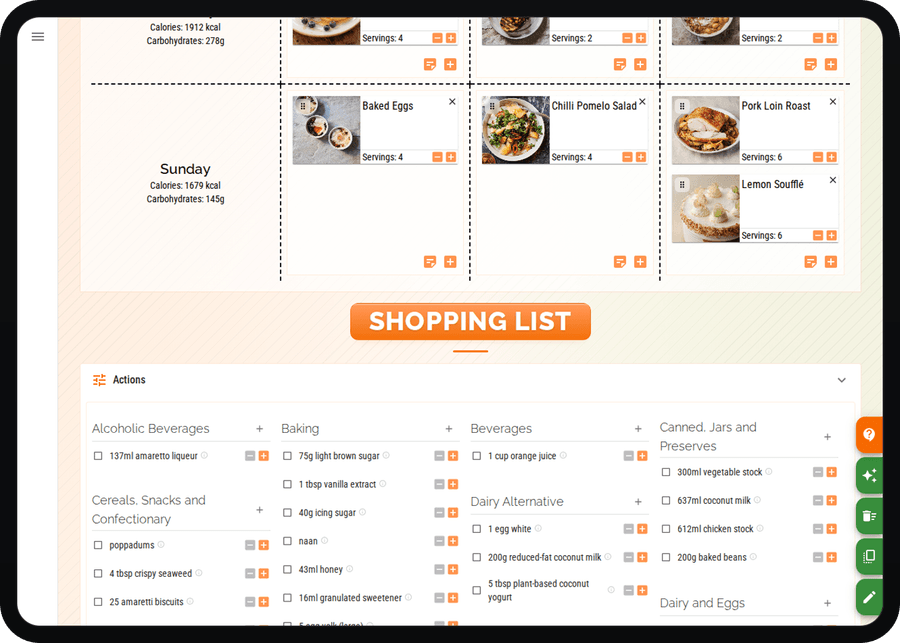
This is where you catch duplication and reality. Two recipes may both need onions. One recipe may need half a bag of spinach, while another can use the rest. You may already have rice, spices, oil, flour, or frozen peas. The generated list is the beginning of the shopping decision, not the end.
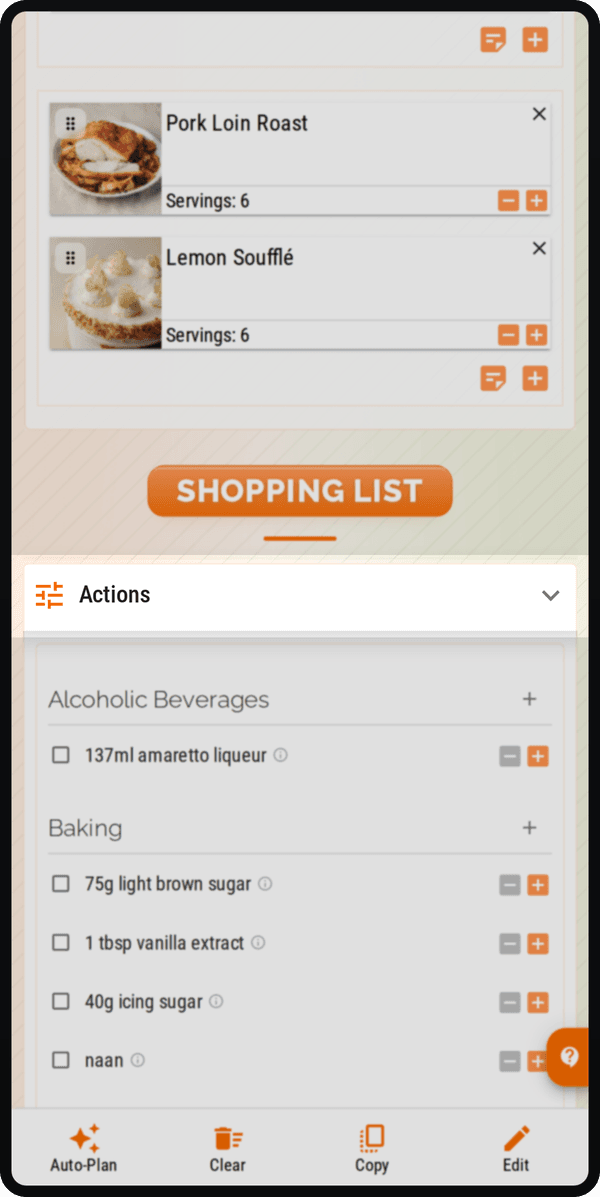
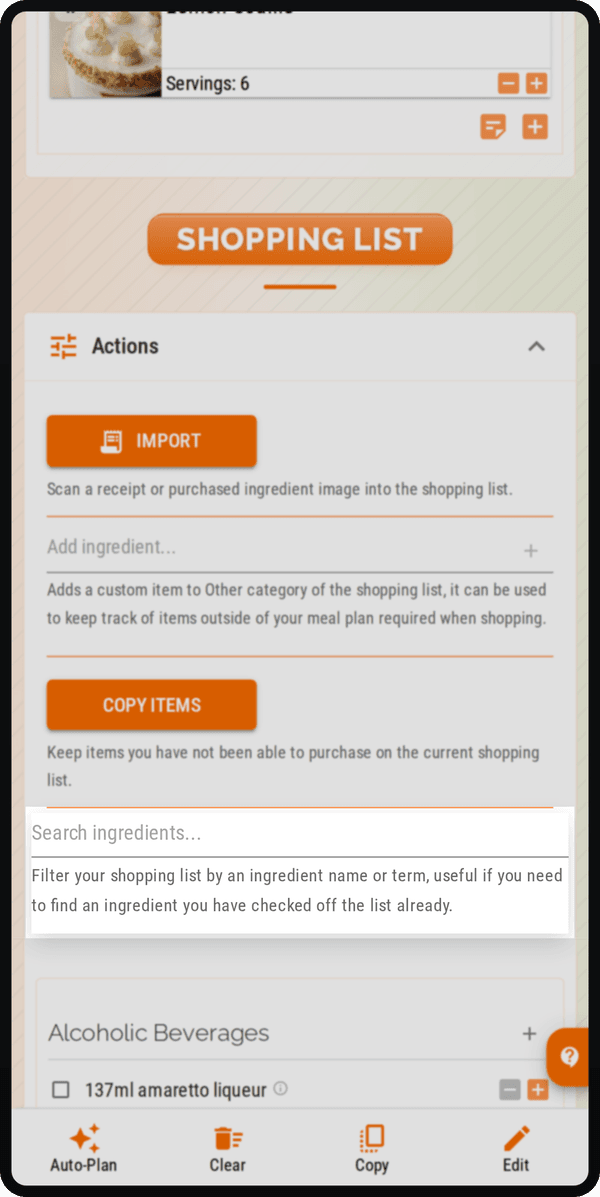
Cenaplan planner ingredients include fields for names, quantities, units, shopping categories, recipe links, and source ingredient information. The UI lets you search the list, group items by category, adjust quantities, add custom items, and mark items as not required.
That last action matters. A generated list should be easy to adapt to the pantry you already have.
Step 5: add non-recipe items
Real shopping trips include more than planned recipe ingredients.
You might also need:
- Breakfast staples.
- Snacks.
- Cleaning products.
- Pet food.
- Packed lunch extras.
- Fruit for the week.
- Household basics.
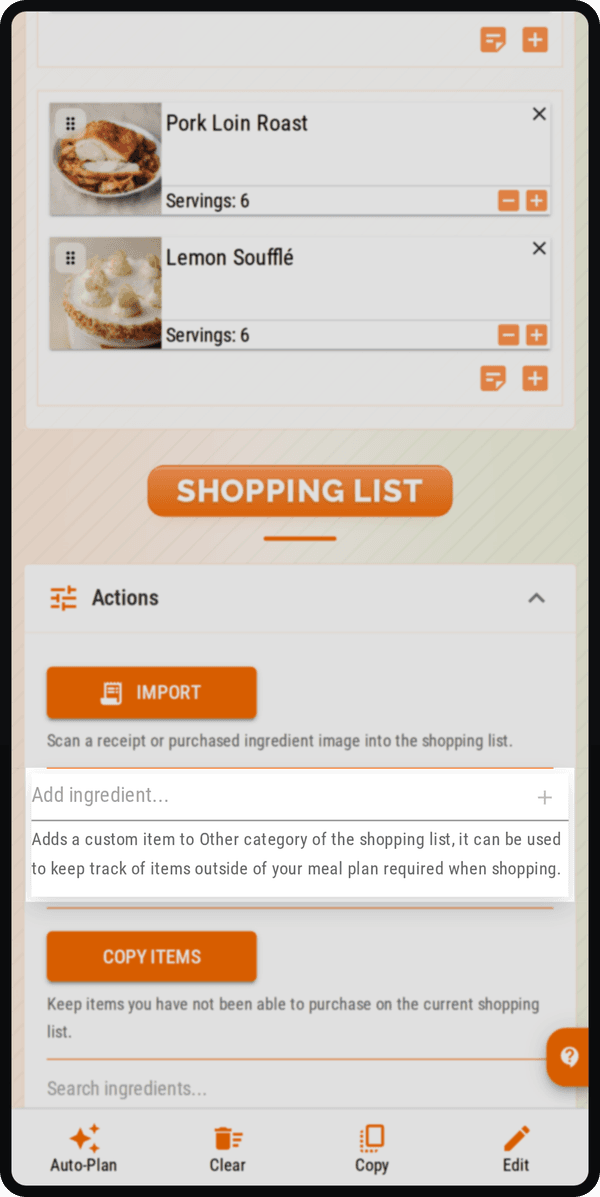
Cenaplan supports custom planner ingredients, so the shopping list can be the one list you actually use rather than only a recipe ingredient export.
Step 6: shop by category
Shopping categories reduce backtracking.
An aisle-friendly list is easier to use than a recipe-by-recipe list. If every recipe has its own section, you may visit the same supermarket aisle several times. A better list groups produce, dairy, meat, pantry, frozen, and similar categories together.
Cenaplan planner ingredients include a shopping category, and the UI groups active items by category. That makes the list more practical on mobile while shopping.
Step 7: keep the list alive during and after shopping
The list should change as you shop.
If something is unavailable, adjust the plan or ingredient. If you buy a substitute, update the item. If you realise you already have something, mark it as not required. If the next week already exists, Cenaplan can patch relevant ingredient changes into that plan where appropriate.
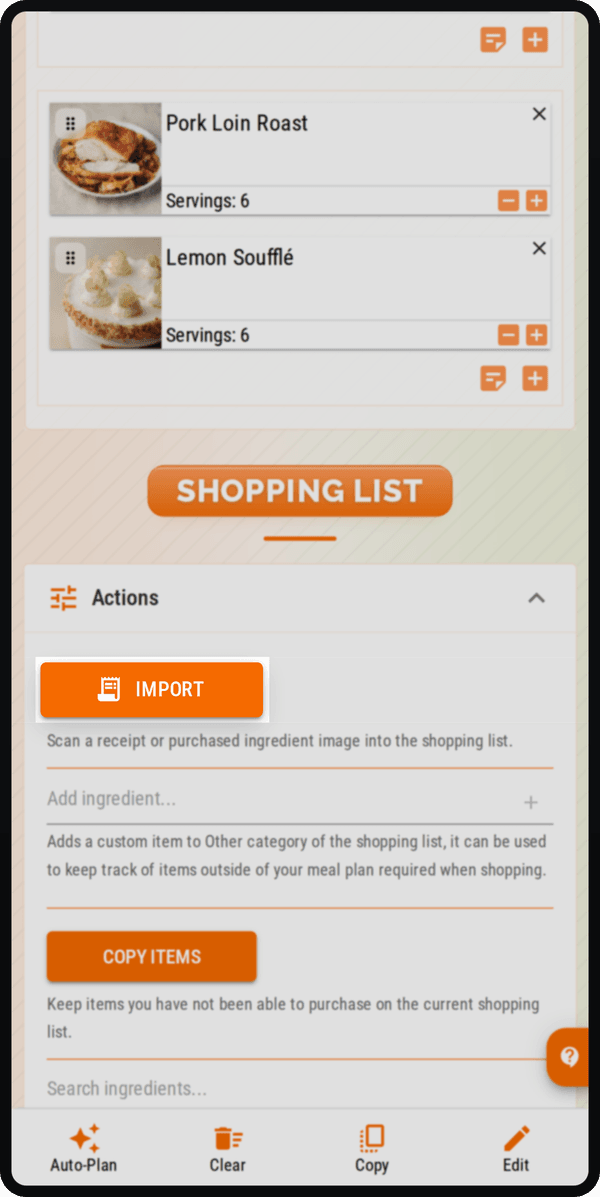
Cenaplan also includes an import workflow for planner ingredients. You can upload or capture shopping-related images, and the app can return updated ingredients plus possible purchase matches that need confirmation. That is useful when you want the list to reflect what has actually been bought.
A simple checklist
Before you shop, run this checklist:
- Are the main dinners in the plan?
- Are servings correct?
- Are recipe ingredients clean enough?
- Have duplicate ingredients been combined sensibly?
- Have pantry items been removed or marked not required?
- Have custom household items been added?
- Is the list grouped by category?
- Is the list available on the device you take shopping?
That is the difference between a shopping list that records wishes and a shopping list that helps you cook the week you planned.
Cenaplan is designed for the connected version: saved recipes, weekly plan, and shopping list working together.
Frequently Asked Questions
How do I make a shopping list from a meal plan?
Add recipes to your weekly meal plan, check servings, review the combined ingredient list, remove anything you already have, and add any non-recipe household items manually.
Does Cenaplan create shopping lists from planned recipes?
Yes. Cenaplan keeps planner ingredients with the weekly plan so selected recipes can become a ready-to-shop ingredient list.
Can I add custom items to the shopping list?
Yes. Cenaplan supports custom planner ingredients, so the list can include items that are not part of a saved recipe.
Can I mark shopping list items as already bought?
Yes. Shopping list items can be marked as not required, and Cenaplan includes an import workflow that can help match purchased ingredients from shopping images.