
See what goes into each serving
A recipe's nutrition depends on what you put in it and how much you use. A spoonful of oil, a different amount of rice or an extra portion can change the figures you want to plan around.
Cenaplan now calculates recipe nutrition using matched ingredient data and the quantities in your recipe. These ingredient contributions come together as estimates for the whole recipe and each serving, including calories, protein, carbohydrates and fat.
Read the numbers alongside the recipe
Open Nutrition on a saved recipe to review its estimates. Keep the ingredient quantities and recipe servings in mind when comparing dishes: two recipes with different yields need a per-serving comparison to be useful.
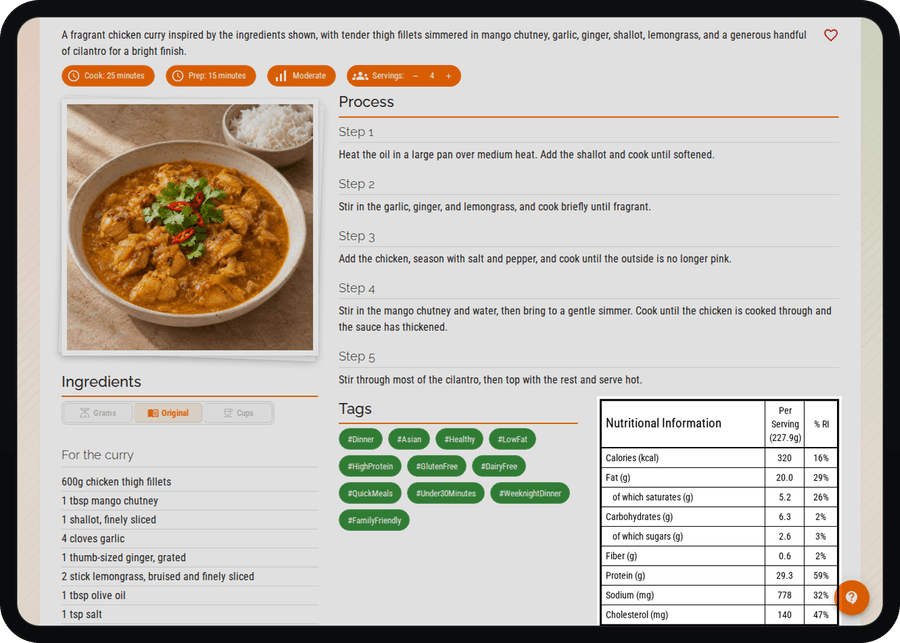
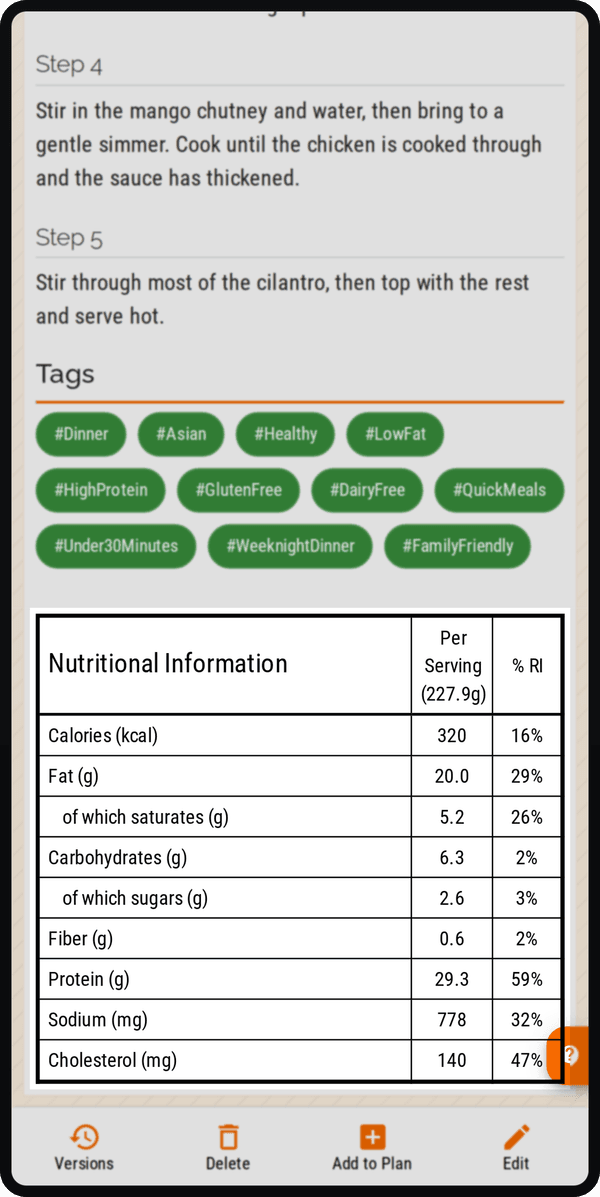
For example, if a pasta recipe serves four, its per-serving figures help you judge one portion alongside another dinner. Check that the saved ingredients and quantities describe the version you actually intend to cook.
Give the calculation useful quantities
Specific ingredient names and clear quantities give the calculation more to work with. Ingredient matching and measurement conversions affect the result; missing information can leave an estimate incomplete.
Treat the figures as a guide to your recipe choices. Different brands, substitutions and the portions you serve can change the meal you eventually eat. The nutrition overview explains how to read these estimates alongside your recipes.
Explore nutrition insights