
A recipe is not always one page
A photographed recipe might span several pages. A dish may also depend on another preparation: a sauce, stock or accompaniment that you want to save and use again.
You can now bring multiple photographs into one recipe import and link saved preparations to the dishes that use them. Keep the pages of a recipe together, and give reusable sauces and stocks a home of their own.
Keep the source material close
When importing photographed recipe pages, select the images that belong together and check their order before submitting. After importing, review the structured ingredients and instructions against the original material. Extra images provide context; they do not remove the need to check the result.
The recipe view also gives you access to source imagery where it is available. It helps when you want to verify a detail that did not transfer as you expected.
Reuse a preparation without losing its connections
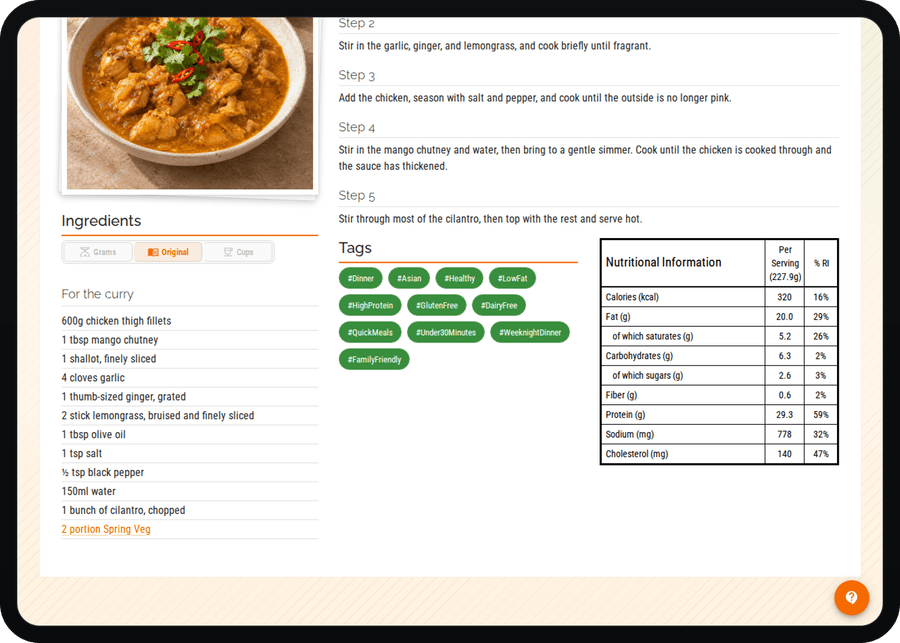
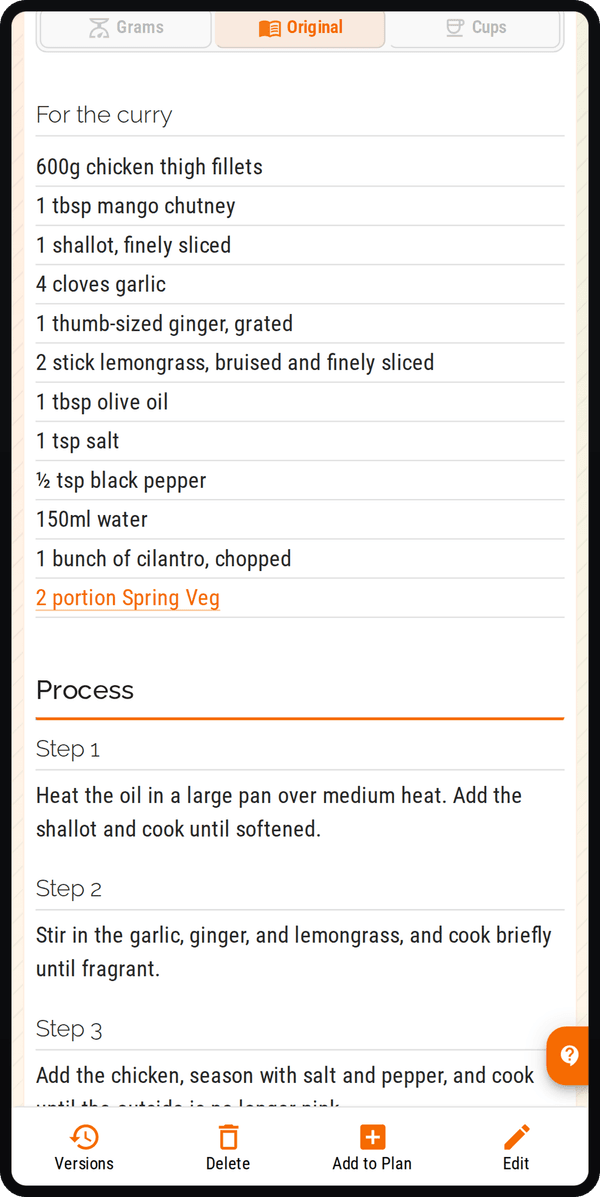
A saved recipe can link to another saved preparation. Follow the ingredient link to open it, and use Used in on the preparation to find the dishes that depend on it.
For example, keeping a reusable sauce as its own preparation can make its relationship to several dishes easier to follow. Review those connections when you change the preparation: it may be used in more than the recipe currently on screen.
An import can also identify a preparation that still needs attention. Where the recipe shows an issue or missing preparation, review it before relying on the complete ingredient, shopping or nutrition calculation. A visible link is useful context, not a guarantee that every part of an imported recipe is complete.
The recipe binder feature page explains importing and linked preparations. Our digital recipe organisation guide covers the wider habit of keeping a collection usable.
Explore recipe importing